
YAML to JSON Converter
Turn YAML config file into JSON object for further manipulation with PicoToolkit.
Convert YAML to JSON online
Convert YAML to JSON quickly in your browser. PicoToolkit’s YAML → JSON converter preserves structure, produces readable (pretty‑printed) JSON, and validates input — no upload required.
How to use
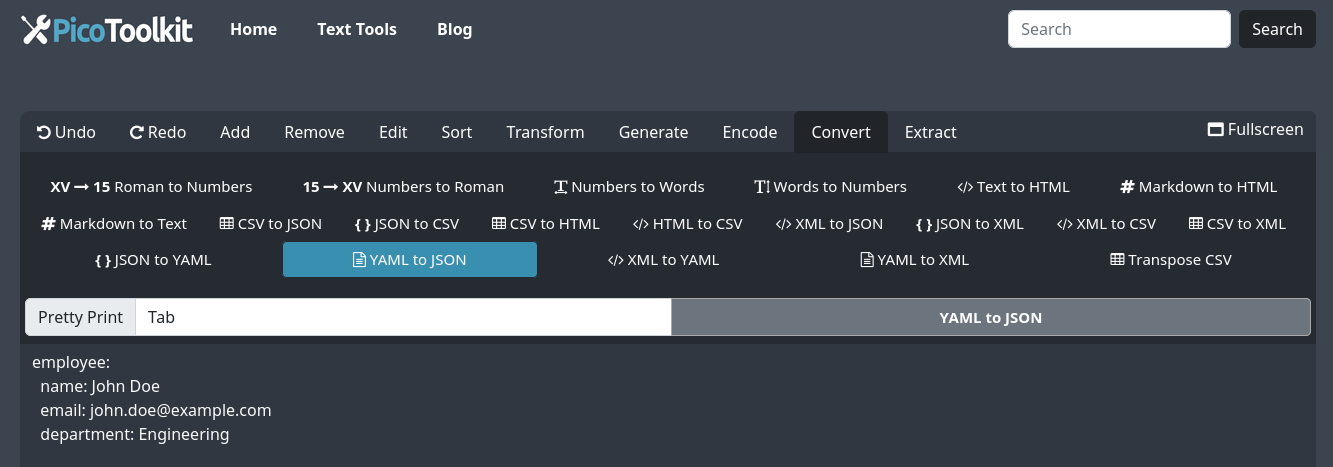
- Paste YAML text into the editor (single document only — multi‑document YAML with --- is not supported).
- Click Convert → YAML to JSON. The tool parses the YAML and shows JSON output you can copy or download.
- Toggle pretty/compact output if you need compact JSON for downstream tools.
Supported features & limitations
- Single‑document YAML only — the converter does not process multiple documents separated by
---. - Types are preserved where possible: numbers, booleans and null become their JSON equivalents.
- Comments are not preserved in JSON (JSON does not support comments).
- Parsing errors are reported with line/column information to help you fix invalid YAML before conversion.
- Conversion runs client‑side in your browser — your data stays on your device.
Examples (copyable)
-
Simple mapping
YAML input:
JSON output:name: My App version: 1.2 debug: false{ "name": "My App", "version": 1.2, "debug": false } -
Nested objects & arrays
YAML input:
JSON output:servers: - host: api.example.com port: 443 - host: backup.example.com port: 8443{ "servers": [ {"host":"api.example.com","port":443}, {"host":"backup.example.com","port":8443} ] } -
OpenAPI fragment
YAML input (short):
JSON output:openapi: 3.0.0 info: title: Example API version: 1.0.0{ "openapi":"3.0.0", "info":{"title":"Example API","version":"1.0.0"} } -
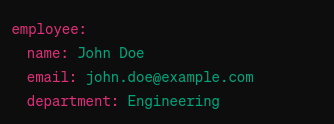
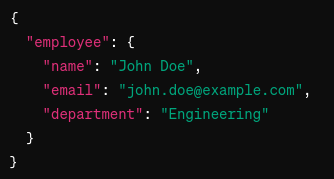
Screenshots
Local equivalents
If you prefer to convert locally, use standard libraries:
- JavaScript (js-yaml):
const obj = jsyaml.load(yamlString); JSON.stringify(obj, null, 2) - Python (PyYAML):
obj = yaml.safe_load(yaml_text); json.dumps(obj, indent=2)
Tips & edge cases
- Fix YAML syntax errors reported by the tool (line/column) before converting.
- Remember YAML tags and custom types may not map cleanly to JSON — validate the resulting JSON against your schema or OpenAPI spec if relevant.
- For very large files, browser memory limits may apply; consider a local script for bulk conversions.
- Use the pretty/compact toggle depending on whether you need readable JSON or compact output for machine processing.
Related tools & workflows
Combine converters for common workflows (clean → validate → convert):
- JSON to YAML translator — reverse the process when needed.
- Markdown to HTML, XML to JSON, and JSON to CSV — chain converters inside PicoToolkit for multi-step workflows.
- Use the JSON output in your API clients, configuration files, or downstream tooling.
FAQ
Does the converter support multiple YAML documents separated by ---?
No. This tool supports single‑document YAML only. For multi‑document files, split them before converting.
Will comments be kept in the JSON output?
No. JSON does not support comments; comments in the YAML input are removed during conversion.
Is conversion private?
Yes. Conversion runs in your browser; PicoToolkit does not upload your text during normal operation.